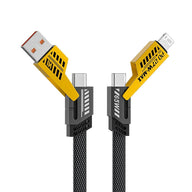
ArmourGuards TitanLink 4-in-1 Cable
Rs. 490Rs. 1,499Save 67%


Browse Mahindra

Browse Kia

Browse Maruti Suzuki

Browse Toyota

Browse Skoda

Browse Volkswagen

Browse Mercedes-Benz

Browse Audi

Browse Honda

Browse Jeep

Browse Land Rover

Browse Citroen

Browse Ford

Browse BYD

Browse Nissan

Browse Renault

Browse Vinfast

Browse Volvo
21+ car brands · 200+ models · Free shipping · COD · 24-48 hr dispatch
![Hyundai Venue Old Gen 1st [2019-2022] Screen Guard](http://armourguards.co.in/cdn/shop/files/HyundaiVenueOldGen1st_2019-2022_ScreenGuard.jpg?v=1685439995&width=1946)
![Hyundai Venue Old Gen 1st [2019-2022] Screen Guard — view 2](http://armourguards.co.in/cdn/shop/files/001Artboard6_0315c3e9-41e0-43a6-ba0b-e6a65bcce144.jpg?v=1694552115&width=1946)
![Hyundai Venue Old Gen 1st [2019-2022] Screen Guard — view 3](http://armourguards.co.in/cdn/shop/files/001Artboard5_778ff58f-af58-4e68-8a94-e4bd9288e06e.jpg?v=1694552117&width=1946)
![Hyundai Venue Old Gen 1st [2019-2022] Screen Guard — view 4](http://armourguards.co.in/cdn/shop/files/001Artboard4_fcce0ea8-1b67-4ba0-9b4f-24aa64b38f1e.jpg?v=1694552116&width=1946)
![Hyundai Venue Old Gen 1st [2019-2022] Screen Guard — view 5](http://armourguards.co.in/cdn/shop/files/001Artboard3_7d4ffb2c-8ad9-4cd2-85a6-4a89e6e19699.jpg?v=1694552116&width=1946)
![Hyundai Venue Old Gen 1st [2019-2022] Screen Guard — view 6](http://armourguards.co.in/cdn/shop/files/001Artboard1_c3b5cf79-89c4-4c60-b939-15e3fad006a4.jpg?v=1694552117&width=1946)
![Hyundai Venue Old Gen 1st [2019-2022] Screen Guard — view 7](http://armourguards.co.in/cdn/shop/files/001Artboard2_4013489e-7678-47dc-a86b-20099d14fabd.jpg?v=1694552117&width=1946)
![Hyundai Venue Old Gen 1st [2019-2022] Screen Guard](http://armourguards.co.in/cdn/shop/files/HyundaiVenueOldGen1st_2019-2022_ScreenGuard.jpg?v=1685439995&width=110)
![Hyundai Venue Old Gen 1st [2019-2022] Screen Guard — view 2](http://armourguards.co.in/cdn/shop/files/001Artboard6_0315c3e9-41e0-43a6-ba0b-e6a65bcce144.jpg?v=1694552115&width=110)
![Hyundai Venue Old Gen 1st [2019-2022] Screen Guard — view 3](http://armourguards.co.in/cdn/shop/files/001Artboard5_778ff58f-af58-4e68-8a94-e4bd9288e06e.jpg?v=1694552117&width=110)
![Hyundai Venue Old Gen 1st [2019-2022] Screen Guard — view 4](http://armourguards.co.in/cdn/shop/files/001Artboard4_fcce0ea8-1b67-4ba0-9b4f-24aa64b38f1e.jpg?v=1694552116&width=110)
![Hyundai Venue Old Gen 1st [2019-2022] Screen Guard — view 5](http://armourguards.co.in/cdn/shop/files/001Artboard3_7d4ffb2c-8ad9-4cd2-85a6-4a89e6e19699.jpg?v=1694552116&width=110)
![Hyundai Venue Old Gen 1st [2019-2022] Screen Guard — view 6](http://armourguards.co.in/cdn/shop/files/001Artboard1_c3b5cf79-89c4-4c60-b939-15e3fad006a4.jpg?v=1694552117&width=110)
![Hyundai Venue Old Gen 1st [2019-2022] Screen Guard — view 7](http://armourguards.co.in/cdn/shop/files/001Artboard2_4013489e-7678-47dc-a86b-20099d14fabd.jpg?v=1694552117&width=110)
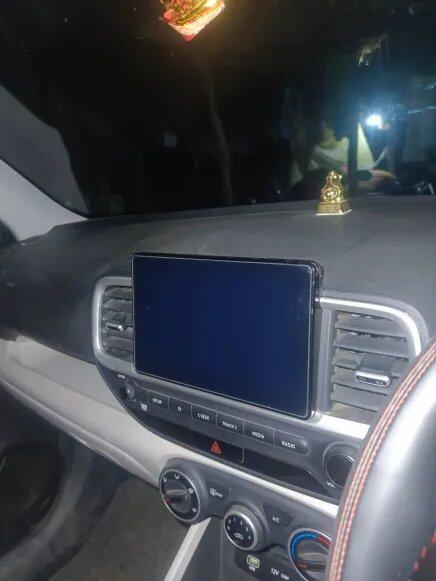
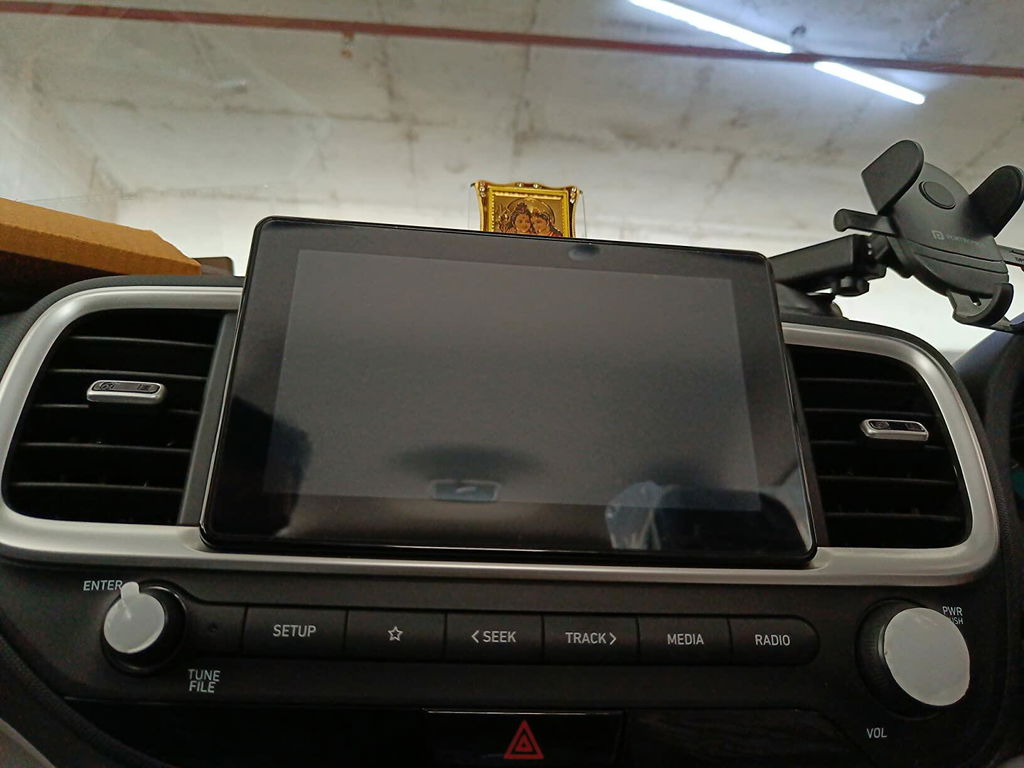
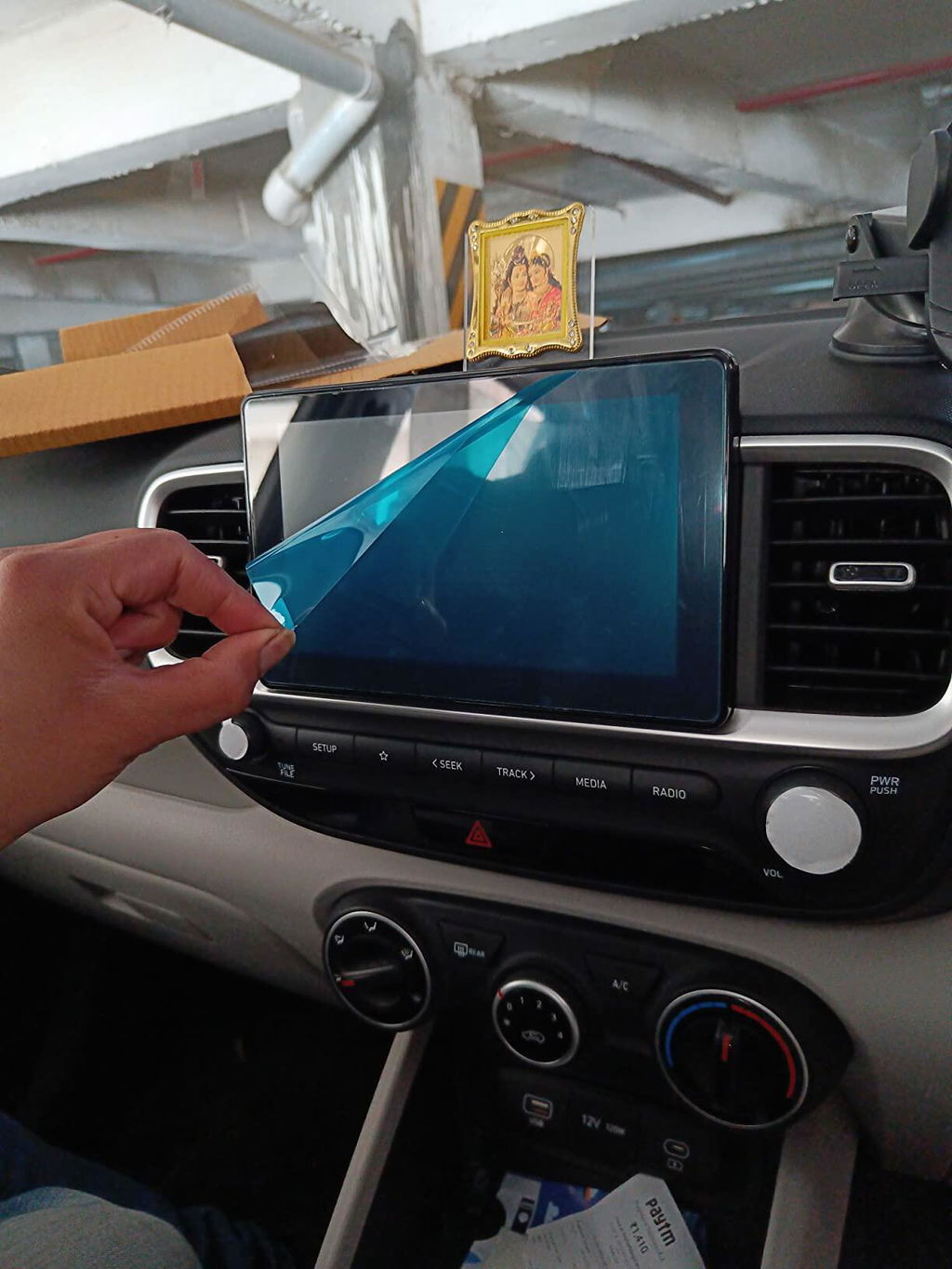
Real customers installing Armour Guards, a 5-minute DIY
Precision-cut for the Infotainment display in your Hyundai Venue (2019-2022). Fingerprints, scratches and glare stay in check while the screen looks and feels stock.
 Crystal-clear HD
 Touch-perfect response
 Scratch & smudge resistant

Daily taps, ring knocks and cleaning cloths hit the protector first, keeping the factory glass pristine underneath.

Ultra-thin construction preserves swipe, pinch-to-zoom and gesture control with no lag or dead zones.

Keeps colours neutral and text crisp while cutting down harsh reflections during daytime drives.

Once installed, the protector disappears into the design language of your Hyundai Venue dashboard. You notice it only when it saves you from a scratch or a smeared fingerprint.
| Make | Hyundai |
|---|---|
| Model | Venue |
| Year | 2019-2022 |
| Trim / variant | Old |
| Screen type | Infotainment |
Use the included wet wipe to remove all dust and fingerprints from the Hyundai Venue display.
Hold the protector over the screen and align with the corners and cutouts. Take your time here — it’s the only careful part.
Peel the backing and let the protector settle from one edge to the other so air can escape cleanly.
Push any remaining bubbles to the edges. The adhesive levels itself over the next few hours.

This guard is cut for the Old Gen 1st Hyundai Venue from 2019-2022. The title names Old Gen 1st. The sheet covers the centre infotainment on that run. Compare your screen to the listing photo. Shipping is free across India on every order, prepaid or COD. COD is available across India.
This listing has one precision-cut tempered glass for the old-gen Venue infotainment. The sheet covers the centre display. This pack is a single screen. Check the listing photo for the cut. See the price on each listing.
Use this on a Hyundai Venue from the 2019-2022 years in the title. Hold the live glass against the product photo before you order. It is not the 2025 Venue listing. 2019-2022 old Venue ke centre screen ke liye yeh hai. 2022 Facelift bezel cuts and S / S Opt without-bezel cuts sit on other pages. Dispatch cutoff is 2 PM IST, dispatched from Kanpur, India. Prepaid orders get a 5 % discount.
Old-gen Venue glass here is 9H tempered. An oleophobic coating resists fingerprints and smudges. A hydrophobic coating sheds water spots. The guard is precision-cut for that 2019-2022 display. Application is bubble-free. Press from the middle and slide air out. The layer does not dull touch sensitivity. Lifetime warranty on this guard.
Wipe the 2019-2022 Venue sheet with a soft dry cloth. Dampen the cloth if oil remains. Do not use kitchen cleaner on the coating. Keep grit off the cloth.
Yes. The title names Old Gen 1st and the 2019-2022 years. Match the glass to the photo.
No. The 2025 Venue has its own page. This cut is the 2019-2022 Old Gen 1st listing.
No. Facelift SX, SX O and N-Line use the with-bezel listing. This cut is Old Gen 1st.
![Hyundai Venue [2025] Screen Guard](http://armourguards.co.in/cdn/shop/files/Hyundai_Venue_New_2025.jpg?v=1766816090&width=533)
![Hyundai Creta Facelift 10.45 Inch [2024] Screen Guard — view 2](http://armourguards.co.in/cdn/shop/files/001Artboard6_0c42b3af-f520-4643-8ded-dcf5e5e65320.jpg?v=1766816090&width=353)